Most content calendars give you dozens of tabs and charts you never use. This one keeps to what helps you post consistently. You plan each post once, and the month views, weekly batch list and monthly results all update by themselves.
How it works
- Name your 3-6 content pillars (the themes you post about) and choose your platforms.
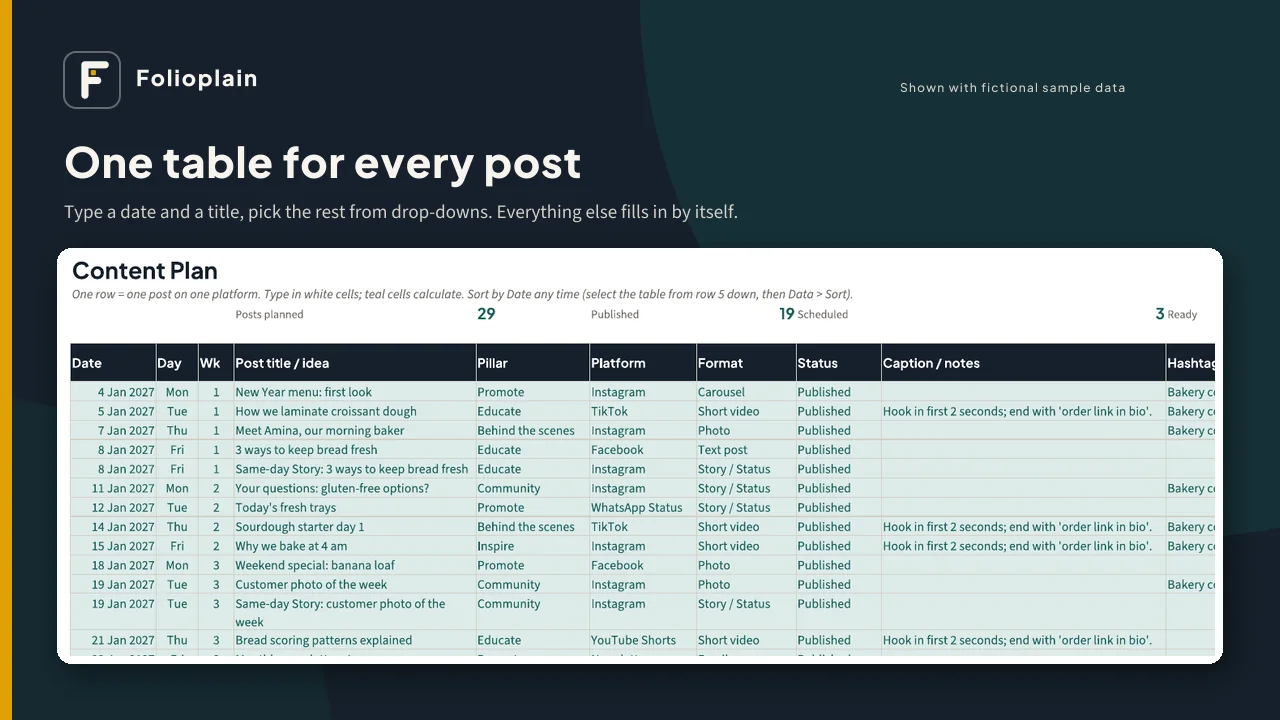
- Add posts to the Content Plan: type a date and a title, then pick the pillar, platform, format and status from drop-down lists.
- Your month calendars, year overview, weekly batch list and analytics update by themselves.
What's inside the spreadsheet (XLSX)
- Start Here tab with plain-English instructions
- Setup: brand name, year, Monday or Sunday week start, content pillars with target share, and editable platform and format lists
- Content Plan: 500 rows with drop-downs for pillar, platform, format, status and hashtag set, plus space for captions, links, views and engagements
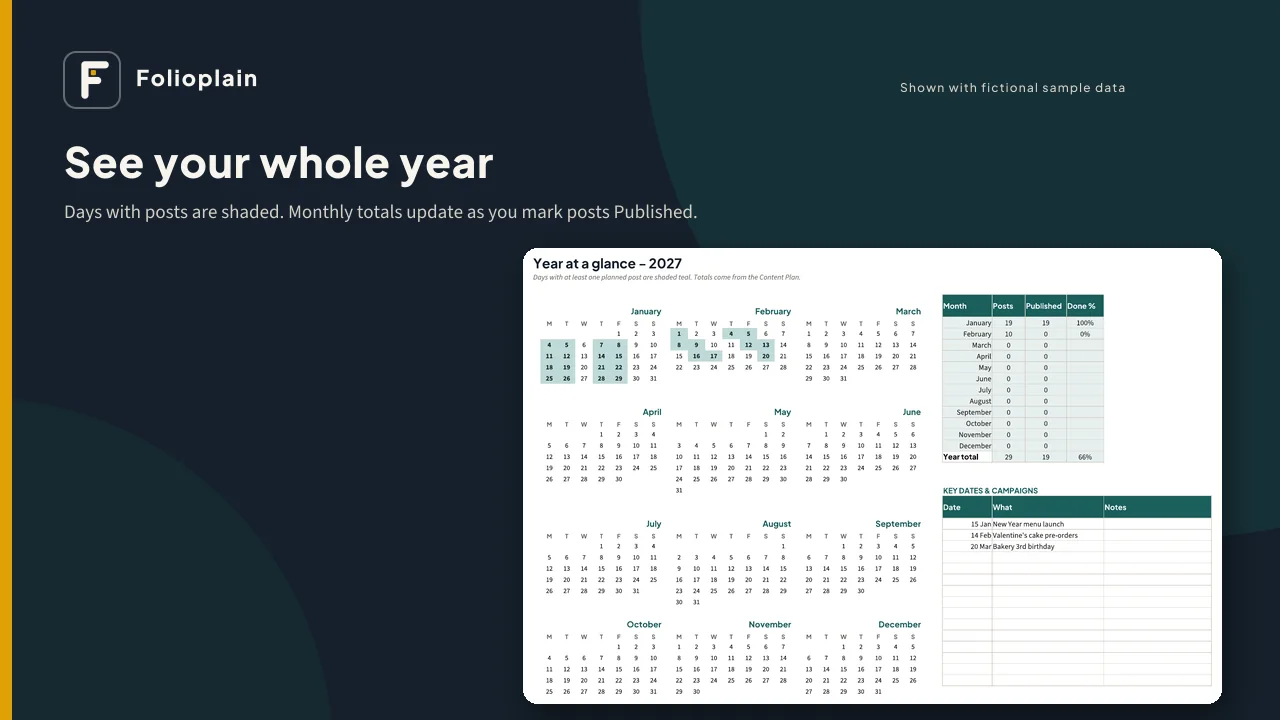
- Year Overview: all 12 months on one page. Days with posts are shaded, and monthly totals and done % update as you go.
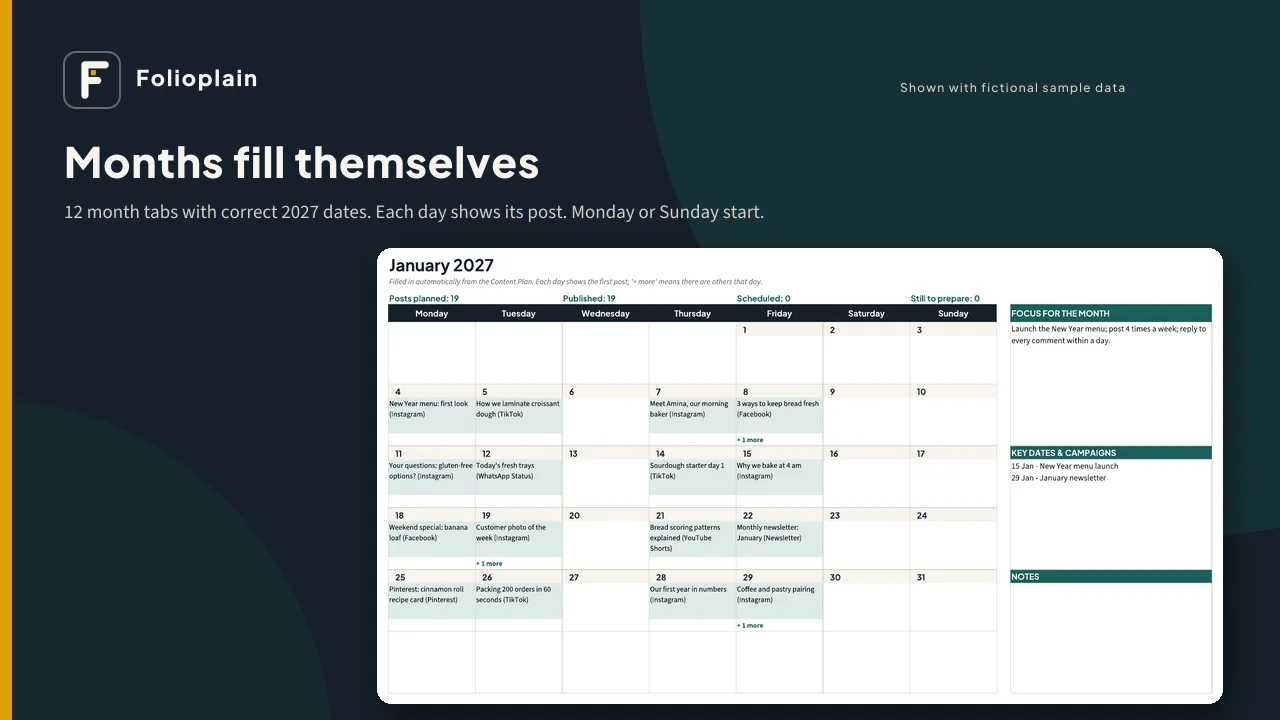
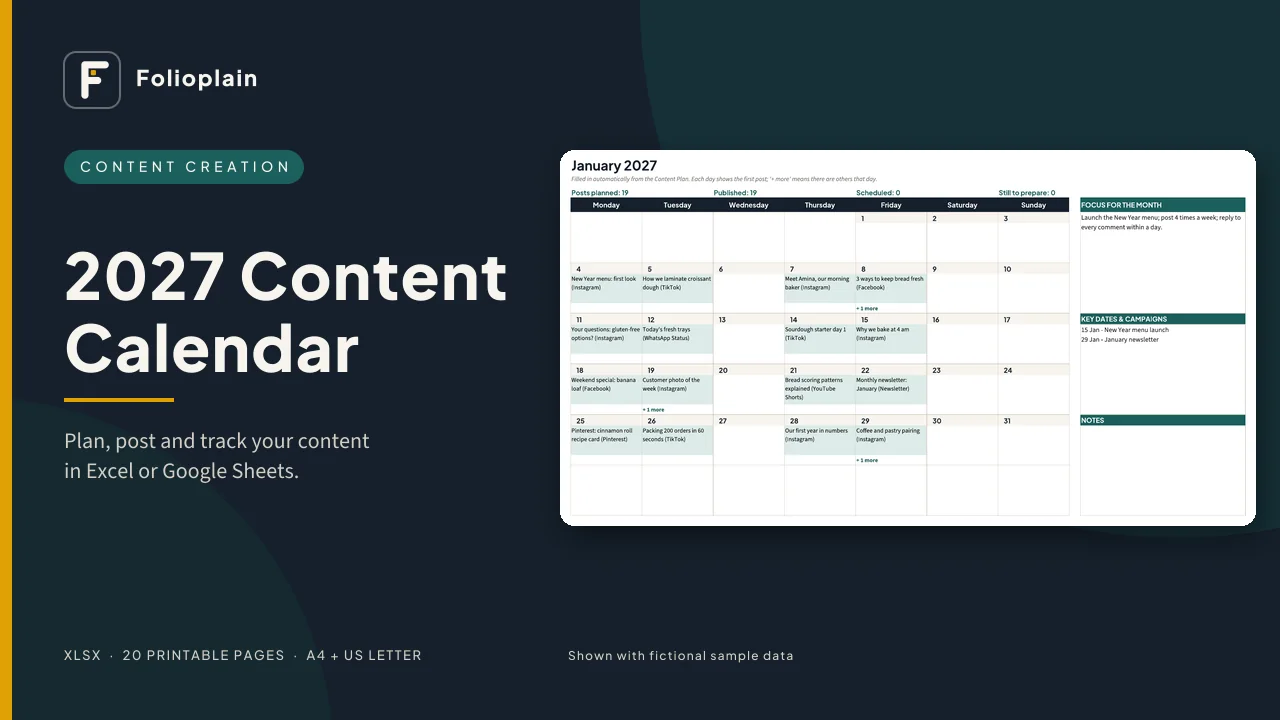
- 12 month tabs: correct 2027 dates and weekdays. Each day shows its first post plus "+ more", with monthly counts and boxes for focus, key dates and notes.
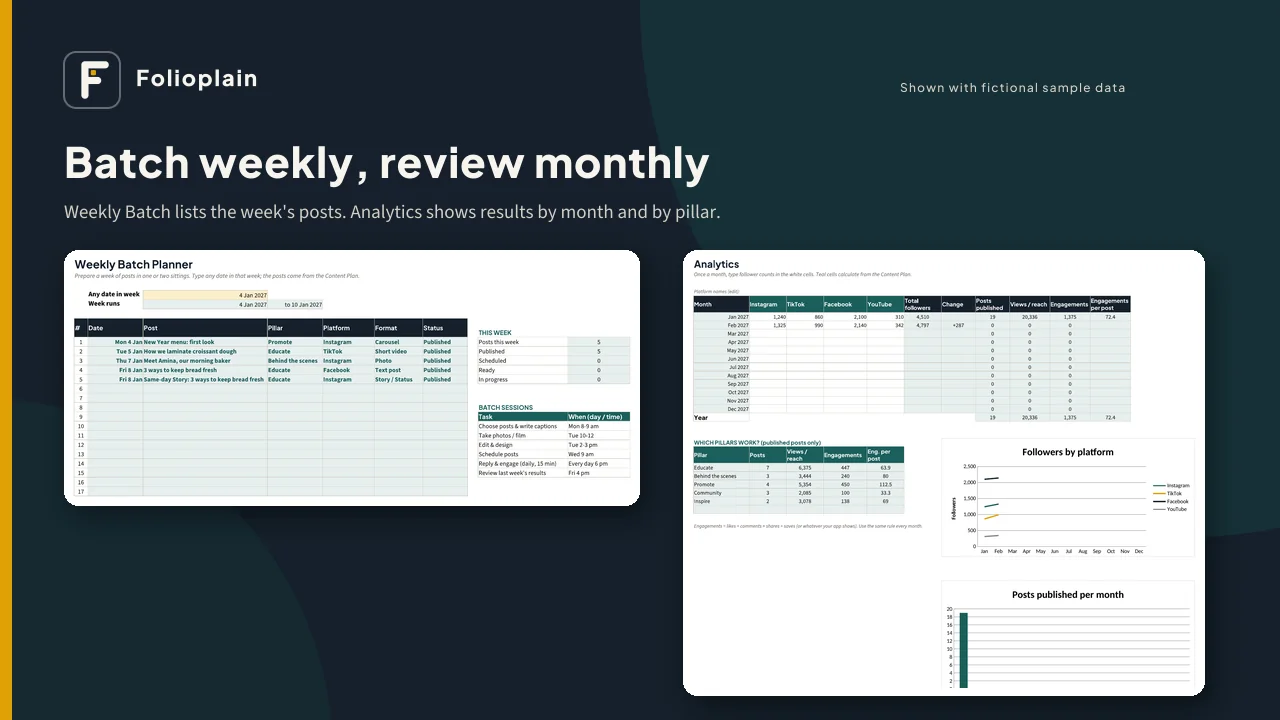
- Weekly Batch: type any date and see that week's posts, so you can prepare them in one or two sittings
- Ideas Bank: 200 rows to save ideas before you forget them
- Hashtags & Notes: reusable hashtag sets, calls to action and brand voice notes
- Analytics: monthly follower counts for 4 platforms (you type them in), with posts published, views and engagements calculated from your plan, a "Which pillars work?" table, and 2 charts
- Change the year on the Setup tab and the same file works for 2028
Also included
- A sample file filled with fictional data, so you can see every tab working
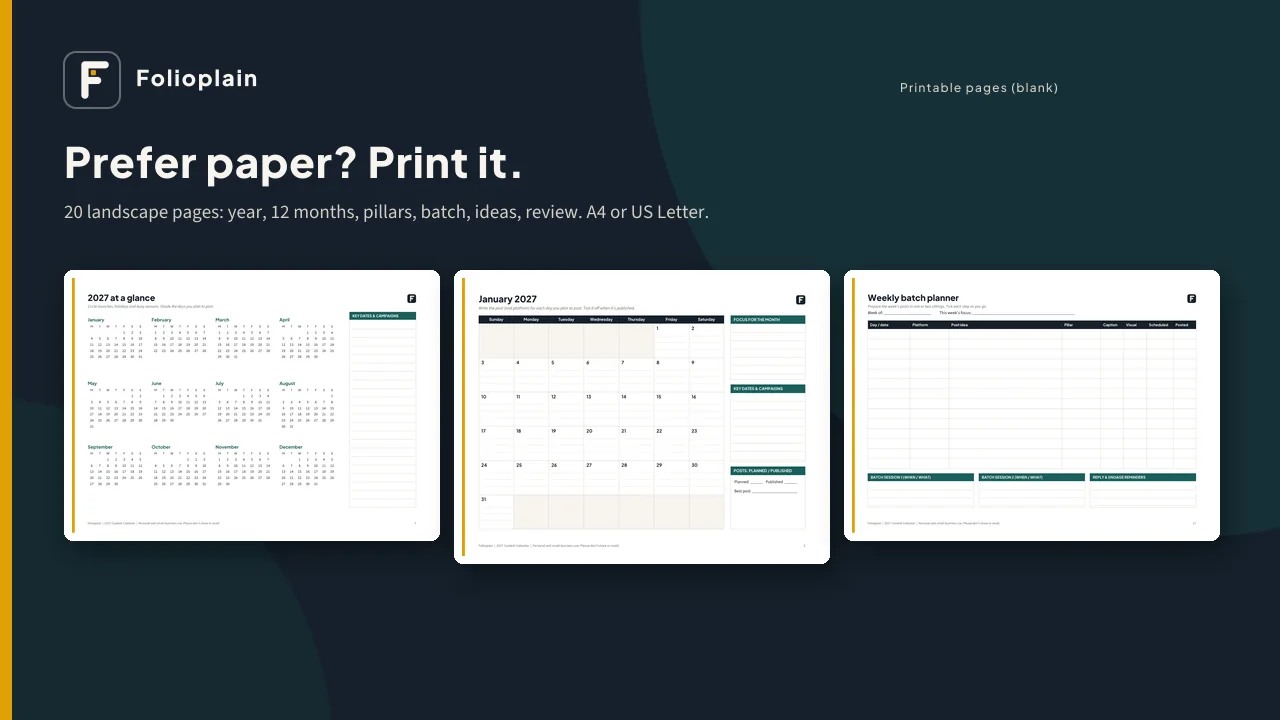
- 20 printable pages (PDF): year at a glance, content pillars, 12 monthly calendars, weekly batch planner, ideas bank, monthly review, hashtag sets and brand notes. They come in A4 and US Letter, with weeks starting Monday or Sunday.
- A 2-page quick-start guide
Works with: Microsoft Excel (desktop or web), Google Sheets (free, via upload, as shown in the guide) and LibreOffice Calc. There are no macros, add-ons or subscriptions, and nothing is locked. Formula cells are shaded so you know which ones to leave alone.
Good for: small businesses, creators, freelancers, social media managers and anyone who wants a calm, simple plan for 2027. Platform lists are editable, so it works for Instagram, TikTok, Facebook, YouTube, Pinterest, LinkedIn, WhatsApp Status, newsletters, blogs and more.
Please note
- This is a digital download. Nothing will be shipped.
- It is a planning tool. It does not post for you and cannot promise followers or sales.
- Personal and small-business use only. Please don't share or resell the files.
- Screenshots show fictional sample data.