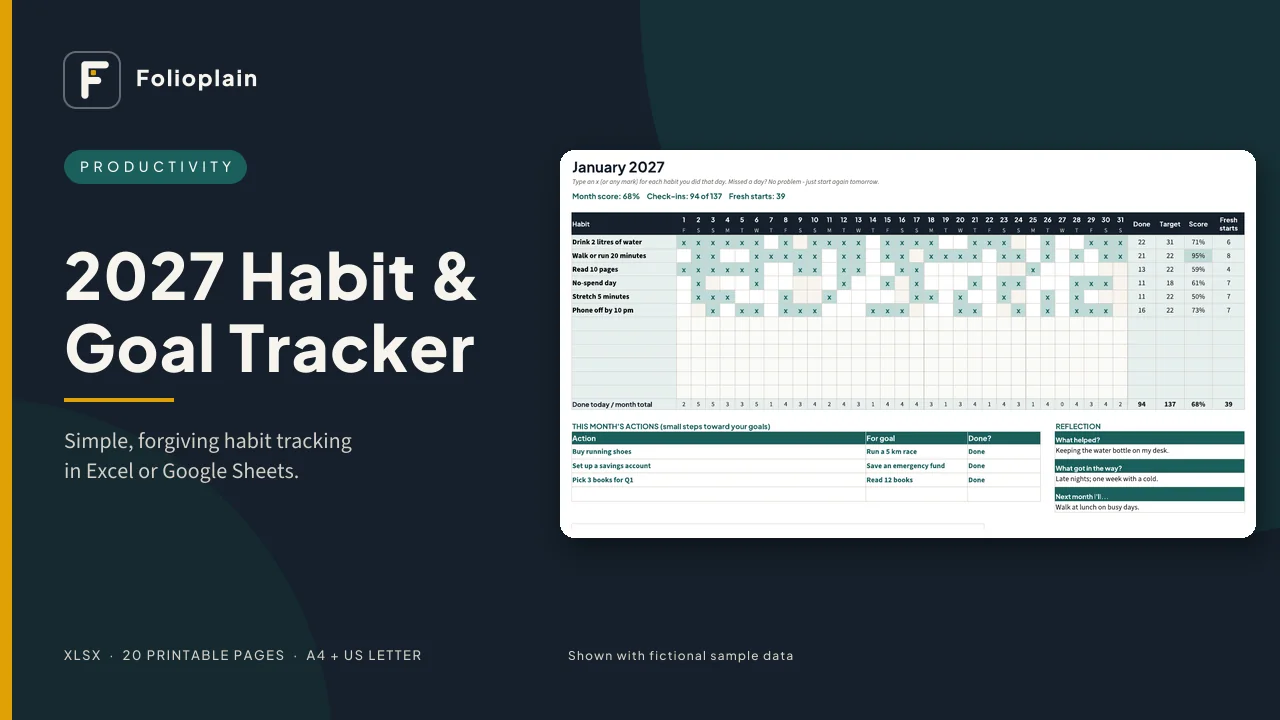
Cover: 2027 Habit & Goal Tracker

2027 Habit & Goal Tracker: Simple, Forgiving Habit Tracker for Excel & Google Sheets

A habit tracker that doesn't punish you for being human.

US$4.00

  • Instant digital download (ZIP)
  • Secure checkout by Paddle.com, our Merchant of Record
  • Tax, if any, is added at checkout for your country
  • 14-day refund policy

Most habit trackers are built around streaks. Miss one day and the number resets to zero, and that's often when people stop. This tracker has no streaks to break. You set how many days a week you're aiming for, and your score compares you with that target, not with perfection. It also counts your "fresh starts": each time you came back after a missed day.

How it works

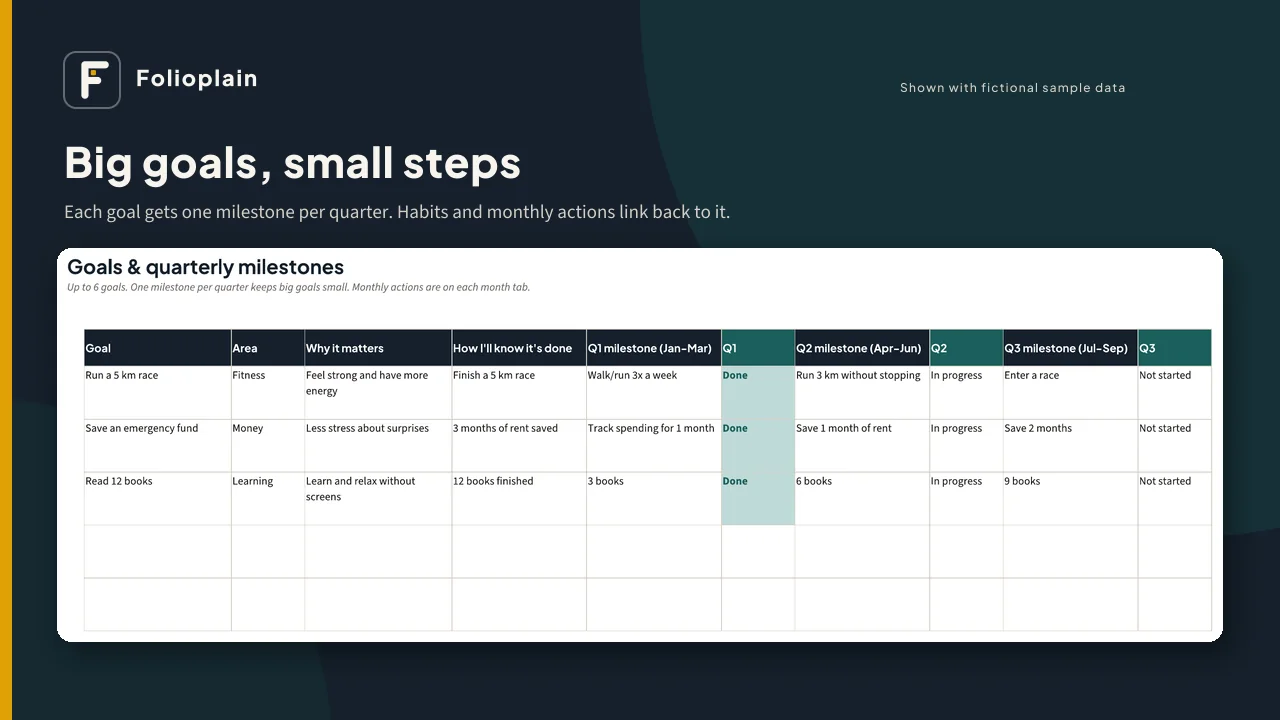
  1. Write up to 6 goals and break each one into one small milestone per quarter.
  2. List your habits (up to 12), choose how many days a week you aim for, and link each habit to the goal it supports.
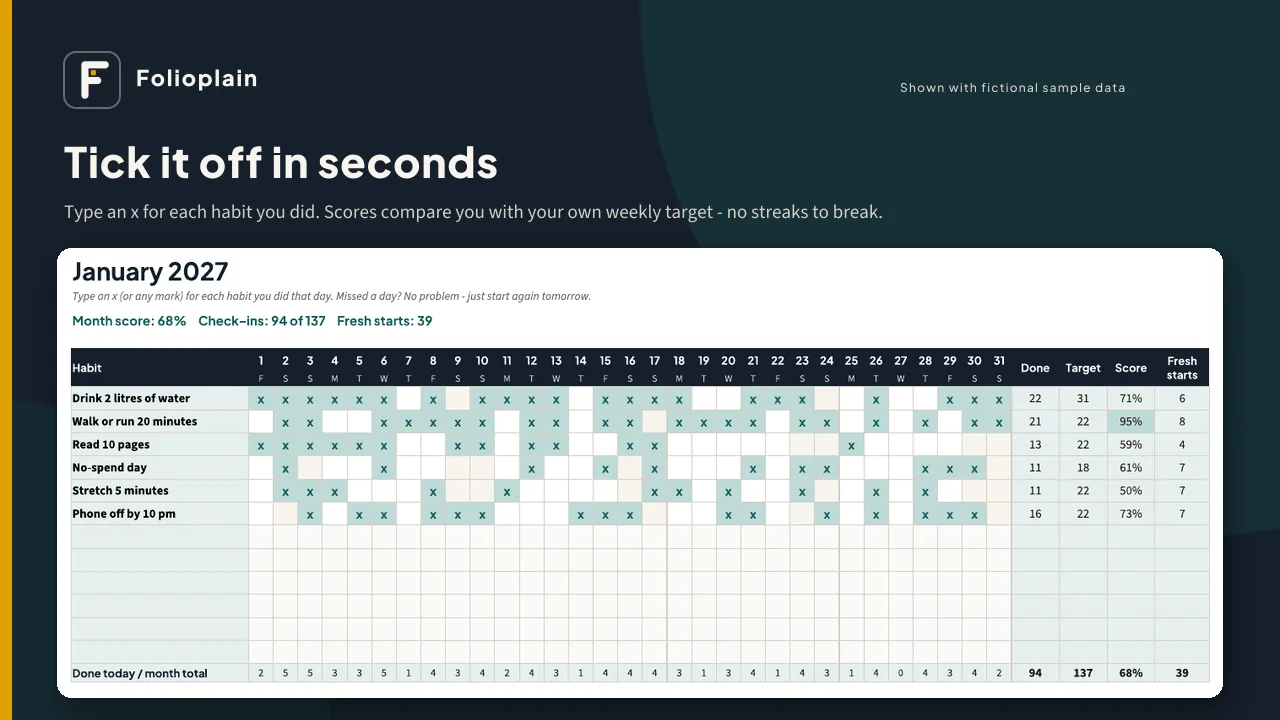
  3. Each day, type an x for each habit you did. Scores, totals and charts update by themselves.

What's inside the spreadsheet (XLSX)

  • Start Here tab with plain-English instructions
  • Setup: your name, year, Monday or Sunday week start, up to 12 habits with area, days-per-week target, linked goal and cue, and an editable list of life areas
  • Goals: up to 6 goals with why it matters, how you'll know it's done, 4 quarterly milestones with status drop-downs, and automatic progress, linked habits and monthly actions done
  • 12 month tabs: correct 2027 dates and weekdays. Quick daily check-off grid with Done, Target, Score and Fresh starts for each habit, 2-4 monthly actions linked to your goals, a short reflection, and a chart of this month's habit scores
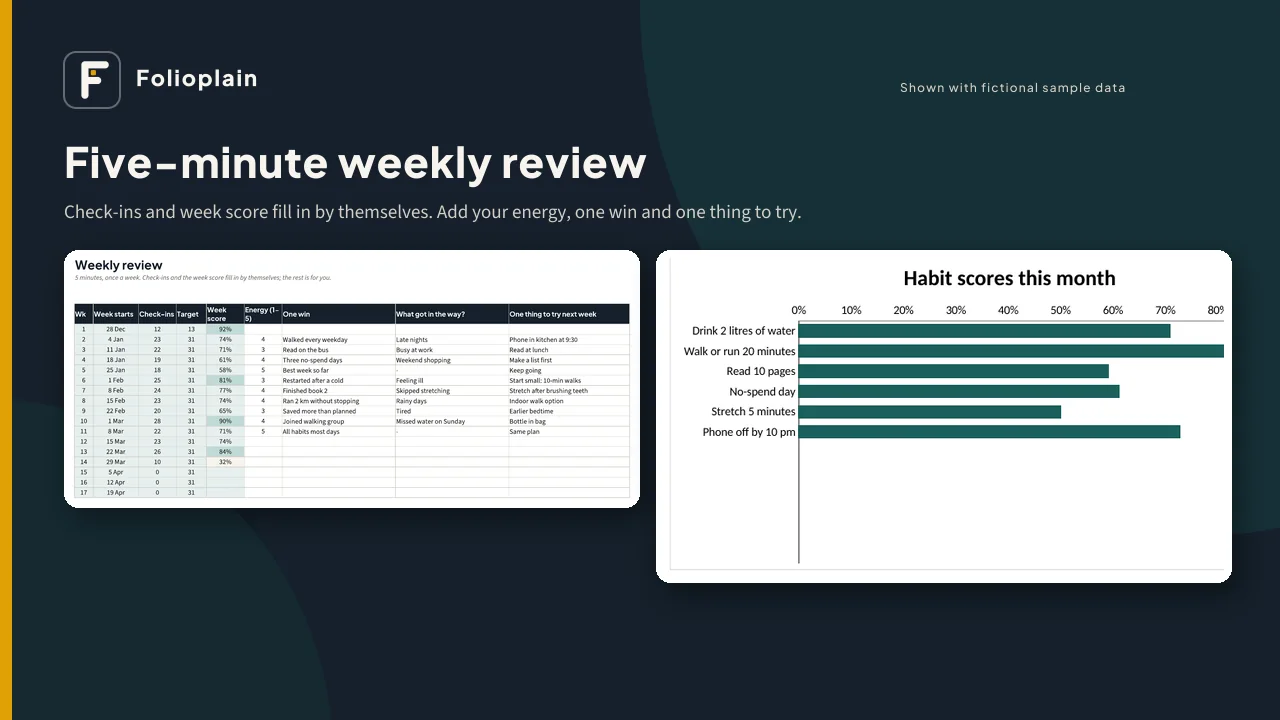
  • Weekly Review: 53 weeks with check-ins, target and week score filled in for you, plus energy (1-5), one win, what got in the way and one thing to try next week
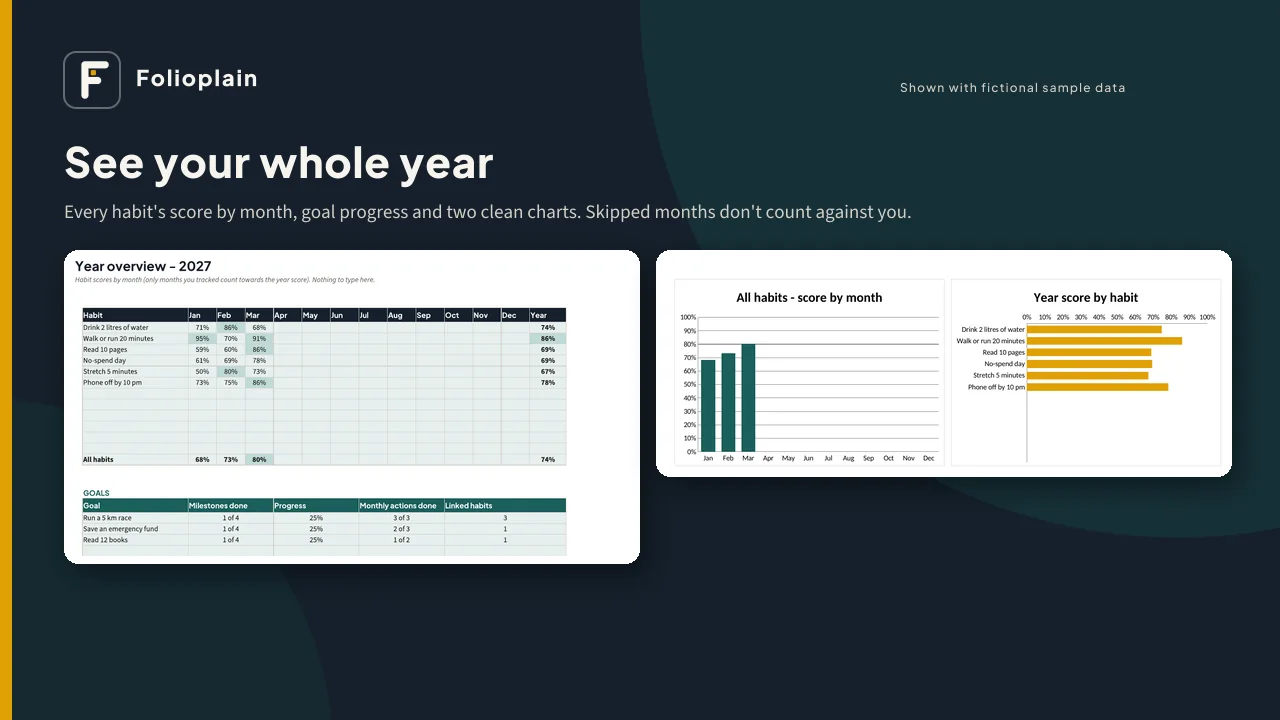
  • Year Overview: every habit's score by month, a year score, goal progress and 2 charts. Months you didn't track are left out, so one lost month doesn't spoil your year.
  • Change the year on the Setup tab and the same file works for 2028 (leap years included)

Also included

  • A sample file filled with fictional data, so you can see every tab working
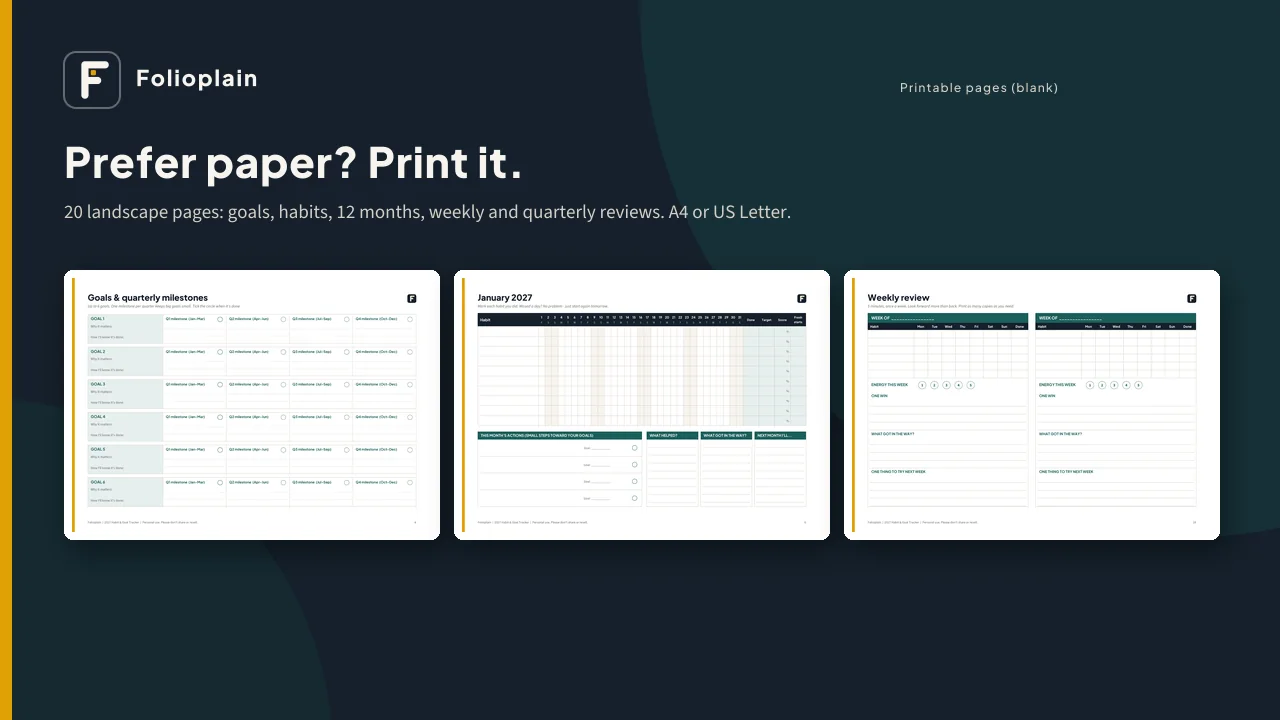
  • 20 printable pages (PDF): year at a glance, goals and quarterly milestones, habit list, 12 monthly habit grids with actions and reflection, weekly review, quarterly check-in and year overview. They come in A4 and US Letter, with weeks starting Monday or Sunday.
  • A 2-page quick-start guide

Works with: Microsoft Excel (desktop or web), Google Sheets (free, via upload, as shown in the guide) and LibreOffice Calc. There are no macros, add-ons or subscriptions, and nothing is locked. Formula cells are shaded so you know which ones to leave alone.

Pairs with: the Folioplain 2027 Content Calendar (same look and layout).

Please note

  • This is a digital download. Nothing will be shipped.
  • It is a planning and tracking tool. It can't promise results and isn't medical, financial or professional advice.
  • Personal use only. Please don't share or resell the files.
  • Screenshots show fictional sample data.
Files you get

FileFormatNotes
Folioplain-2027-Habit-Goal-Tracker.xlsxXLSXBlank tracker, 17 tabs. Works in Excel, Google Sheets and LibreOffice. No macros. Nothing is locked.
Folioplain-2027-Habit-Goal-Tracker-SAMPLE.xlsxXLSXSame tracker filled with fictional sample data ("Sam", Jan-Mar)
printable/…-A4-Monday-start.pdfPDF20 landscape pages
printable/…-A4-Sunday-start.pdfPDF20 landscape pages
printable/…-US-Letter-Monday-start.pdfPDF20 landscape pages
printable/…-US-Letter-Sunday-start.pdfPDF20 landscape pages
Folioplain-Habit-Goal-Tracker-Quick-Start-Guide.pdfPDF2 pages, including how to open the file in Google Sheets
Folioplain-License.pdfPDF1 page (personal use)

Previews

Screenshots show fictional sample data, not real people or businesses.

Questions

Do I need Microsoft Excel?
No. It works in free Google Sheets and LibreOffice Calc too. The guide shows how to open it in Google Sheets.
Can I use it on my phone?
Do the setup on a computer. After that, daily check-offs work well in the Google Sheets or Excel phone app: open this month's tab and type x.
What happens if I miss a day, or a whole month?
Nothing breaks. There are no streak counters. Your score compares what you did with your own weekly target, and the Year Overview only counts months you tracked. "Fresh starts" counts each time you came back.
How is the score worked out?
Days done ÷ days you aimed for that month (your days-per-week target spread over the month), capped at 100%. Example: 5 days a week in a 30-day month is about 21 days. Done 17 = 81%.
How many habits and goals?
Up to 12 habits and 6 goals. We suggest starting with 3-6 habits.
Is it dated?
The spreadsheet starts in 2027, and you can change the year on the Setup tab to reuse it. The printable PDFs are dated 2027.
My week starts on Sunday. Can I change it?
Yes. Choose Monday or Sunday on the Setup tab (it sets the Weekly Review weeks). For printing, there are Monday-start and Sunday-start PDFs.
Does it sync with a habit app or send reminders?
No. It is a spreadsheet; you type your ticks in. There's a "cue / reminder" column to plan your own prompts.
Is anything locked?
No. Formula cells are shaded light teal so you know to leave them alone. If you overwrite one, use Undo.
Can I share it with my family, clients or students?
It's for personal use, including your own household. For coaching, teaching or team use, contact us about a separate license.