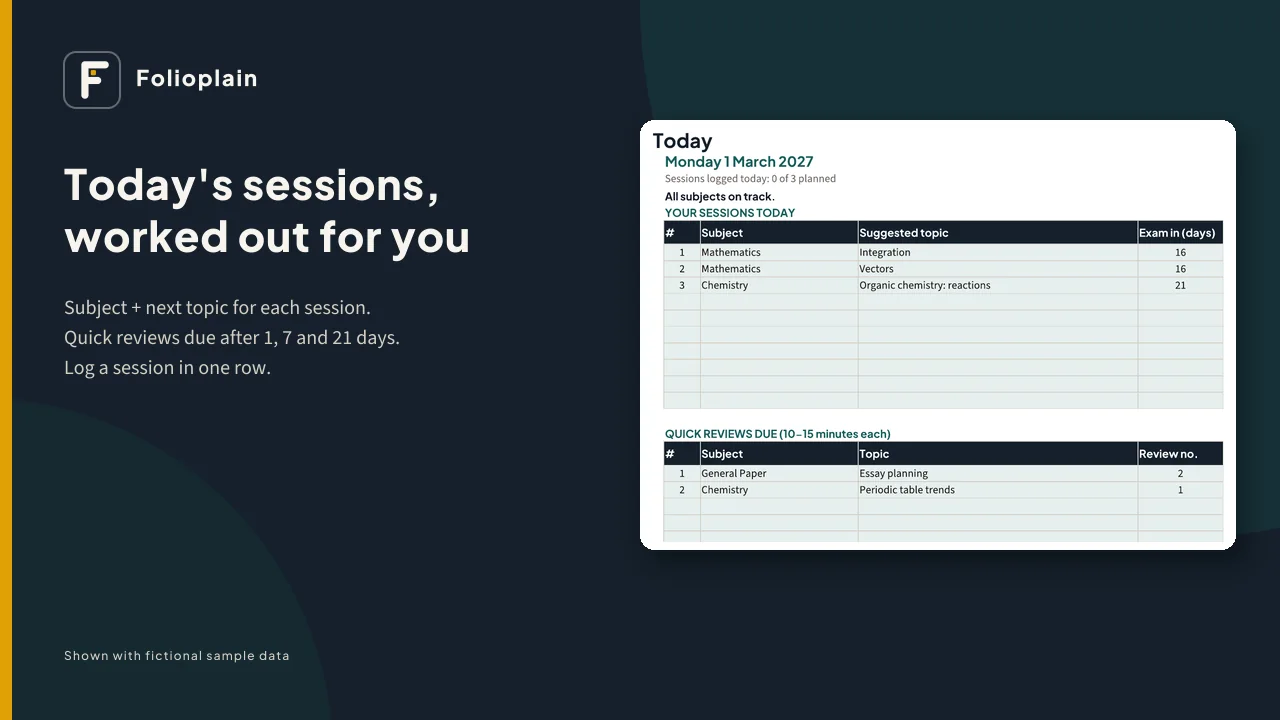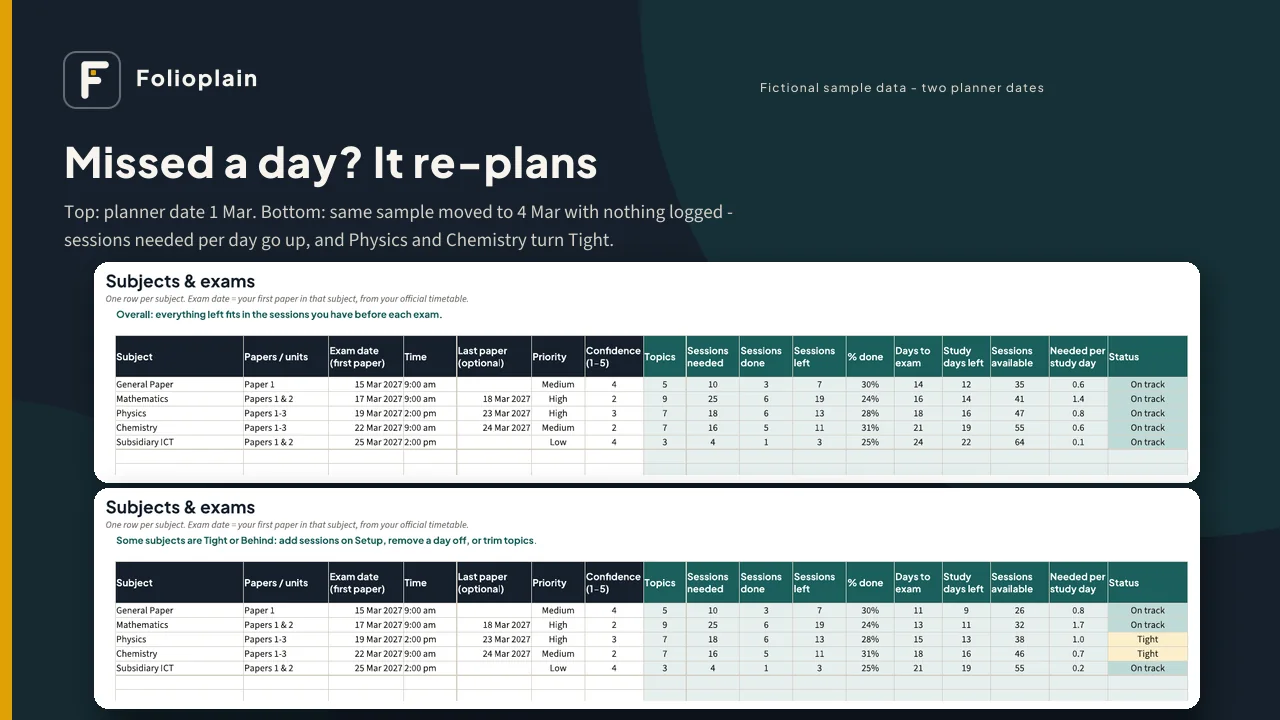
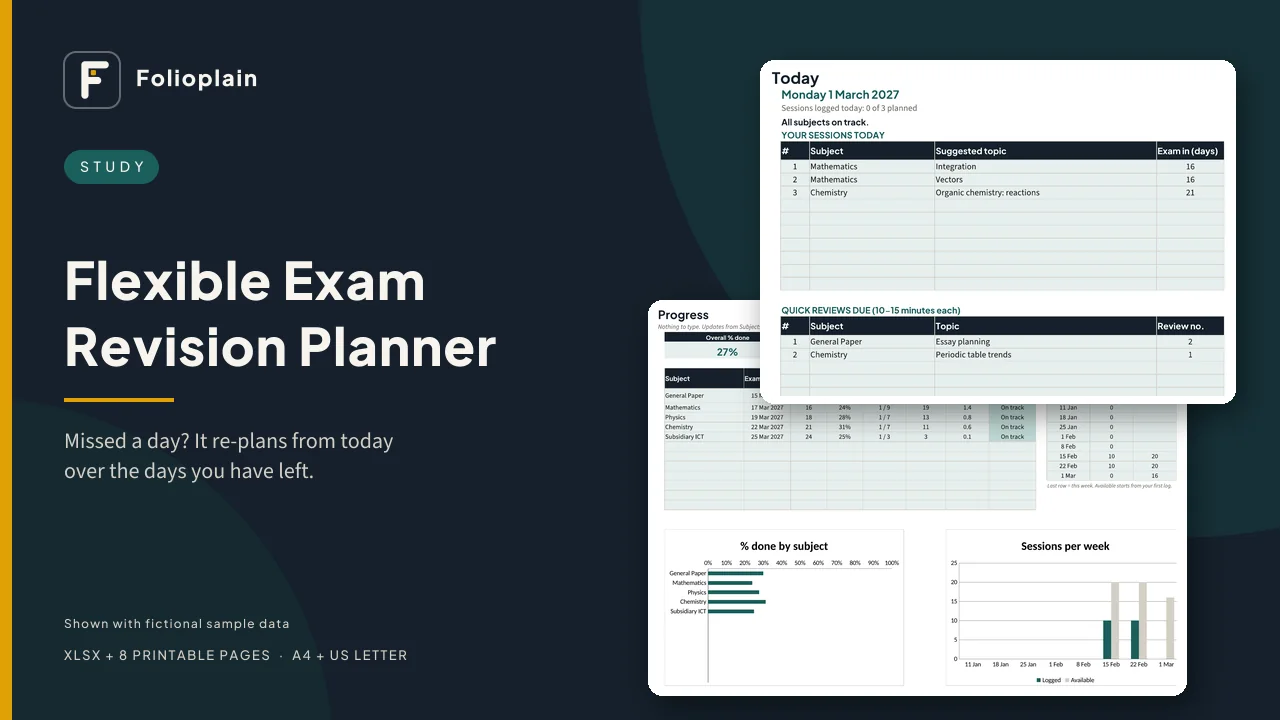
Instead of a fixed grid, you list your subjects, exam dates and topics. Each day the planner works out today's sessions from what's left and the days you have before each exam. Miss a day and there's nothing to redo: the remaining sessions are spread over the days you have left, and you can see straight away which subjects are on track, tight or behind.
How it works
- Setup: how many revision sessions you can do on each day of the week, and your days off.
- Subjects: each subject's first exam date (from your official timetable), priority and how confident you feel (1-5).
- Topics: the topics in each subject and roughly how many sessions each needs.
- Every day: open Today, do your sessions, and log each one in a single row. The plan updates by itself.
What's inside the spreadsheet (XLSX)
- Exam presets: UNEB UCE, UNEB UACE, GCSE, A-level, University or Custom. A preset only suggests subject names; you type your own exam dates and can change everything.
- Subjects & exams: up to 12 subjects with papers, exam date and time, priority and confidence, plus sessions left, days to the exam, study days left, sessions needed per study day and a status: On track / Tight / Behind
- Topics: up to 300, with sessions needed, status (Not started / In progress / Done / Needs review), confidence and a Check column
- Today: today's sessions (subject + next topic) and quick reviews due
- Re-plans from today: sessions are shared out by what's left before each exam. Spare time goes mostly to high-priority and low-confidence subjects. If you have more to do than time, the nearest exam comes first.
- Spaced review: finished topics come back for a quick review after 1, 7 and 21 days (you can change these)
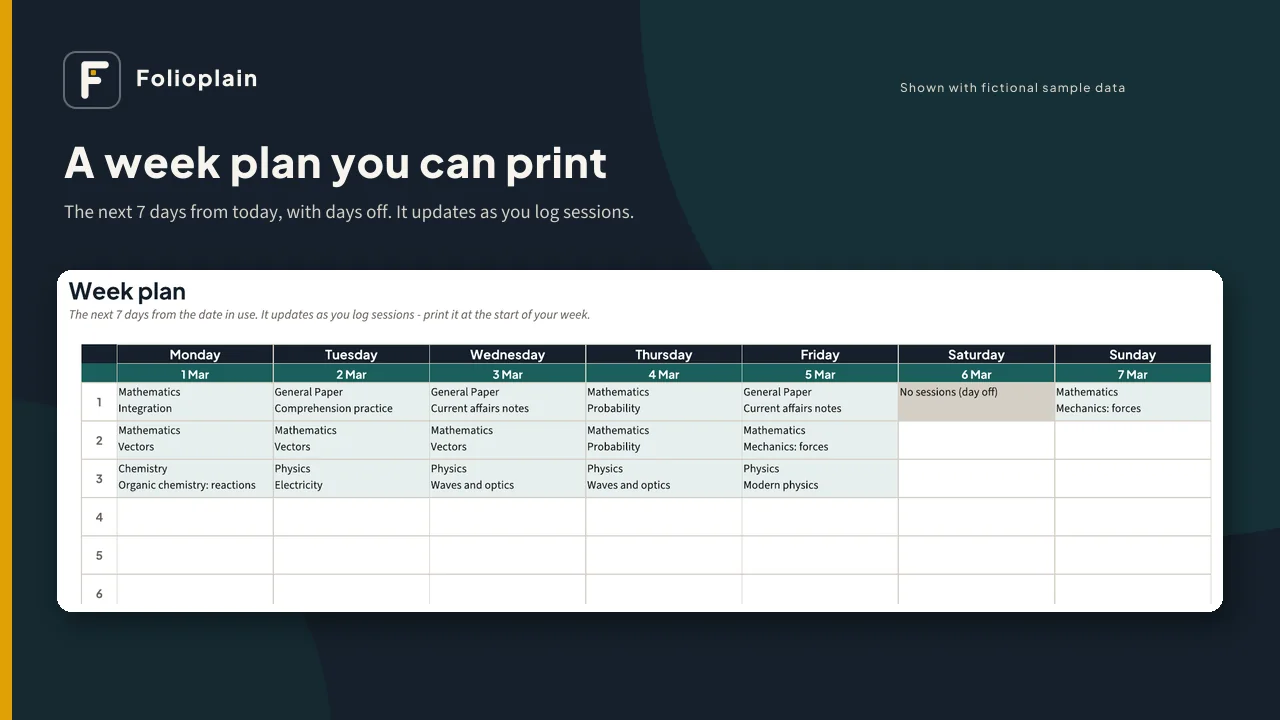
- Week Plan: the next 7 days, ready to print
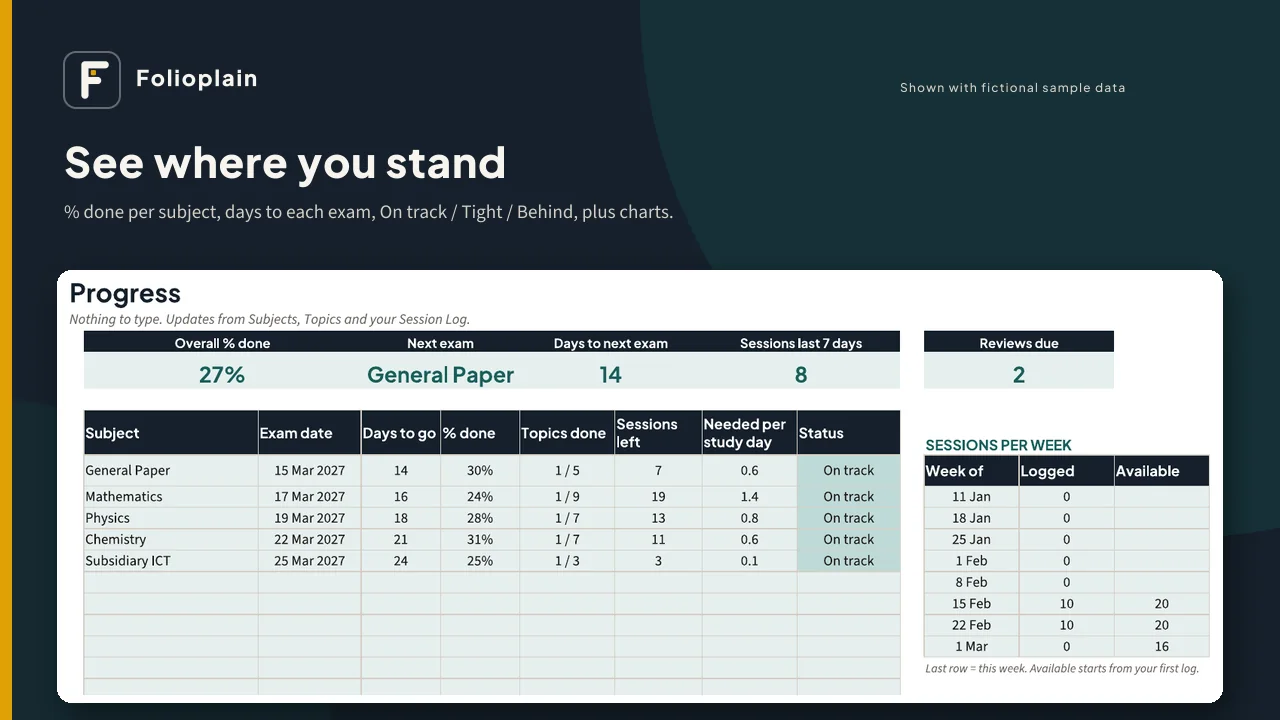
- Progress: overall % done, next exam countdown, sessions in the last 7 days, % done by subject, status, and charts
- Planner date: try any date to see what the plan would be on that day
Also included
- A sample file with a fictional student, so you can see every tab working (try moving the planner date to see the re-plan)
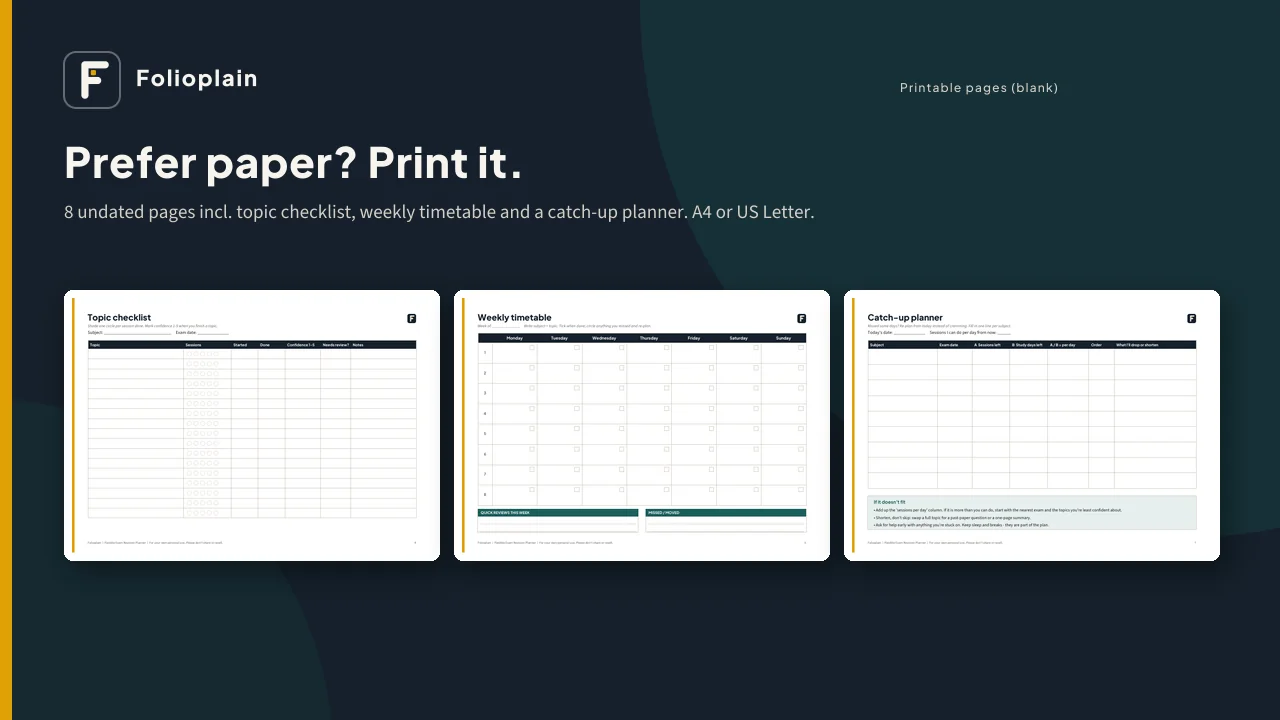
- 8 printable pages (PDF, undated) in A4 and US Letter: how-to, my exams, topic checklist, weekly timetable, daily plan, catch-up planner and spaced review
- A 2-page quick-start guide that explains exactly how the plan is worked out
Works with: Microsoft Excel (desktop or web), Google Sheets (free, via upload as shown in the guide) and LibreOffice Calc. No macros, add-ons or subscriptions, and nothing is locked.
Good for: secondary and A-level students (UNEB UCE/UACE, GCSE, A-level and similar), university students, and parents or tutors helping one student plan. In English.
Please note
- This is a digital download. Nothing will be shipped.
- It's a planning tool. It can't promise grades or results.
- It doesn't include official exam dates. Always copy dates and times from your official exam timetable (school, university or exam board).
- It plans whole revision sessions (you choose the length), not hour-by-hour slots.
- One student per purchase. Teachers: see the license for using it with one class. Please don't share or resell the files.
- Folioplain isn't connected with or endorsed by any exam board.
- Screenshots show fictional sample data.