Many invoice templates assume one currency, US-style tax and a bank account. This kit works the way many freelancers actually get paid: any currency (with whole-number amounts for currencies like UGX), an optional tax line you can set to zero, and payment details for bank, mobile money, PayPal or anything else.
How it works
- Once: fill in My Details (business, currency, decimals, tax, terms, payment details) and your Clients.
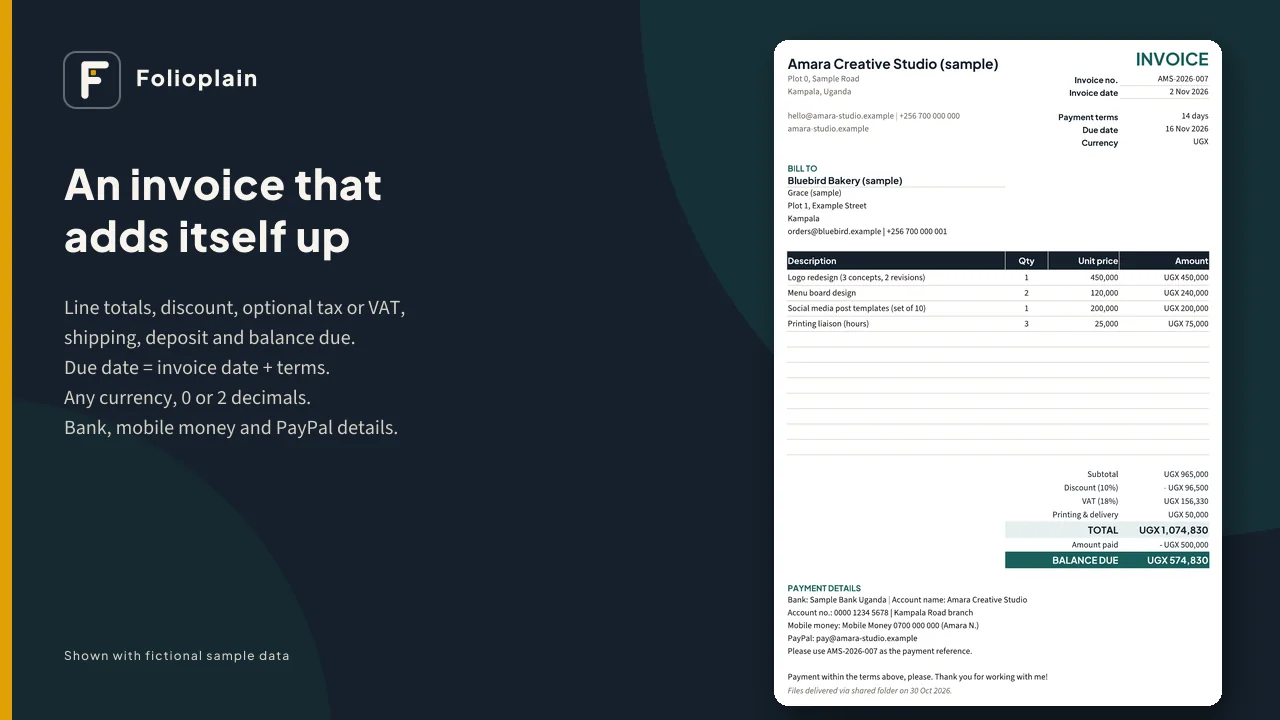
- For each job: choose the client, type the lines, and the invoice adds itself up, including the due date. Save it as a PDF and send it.
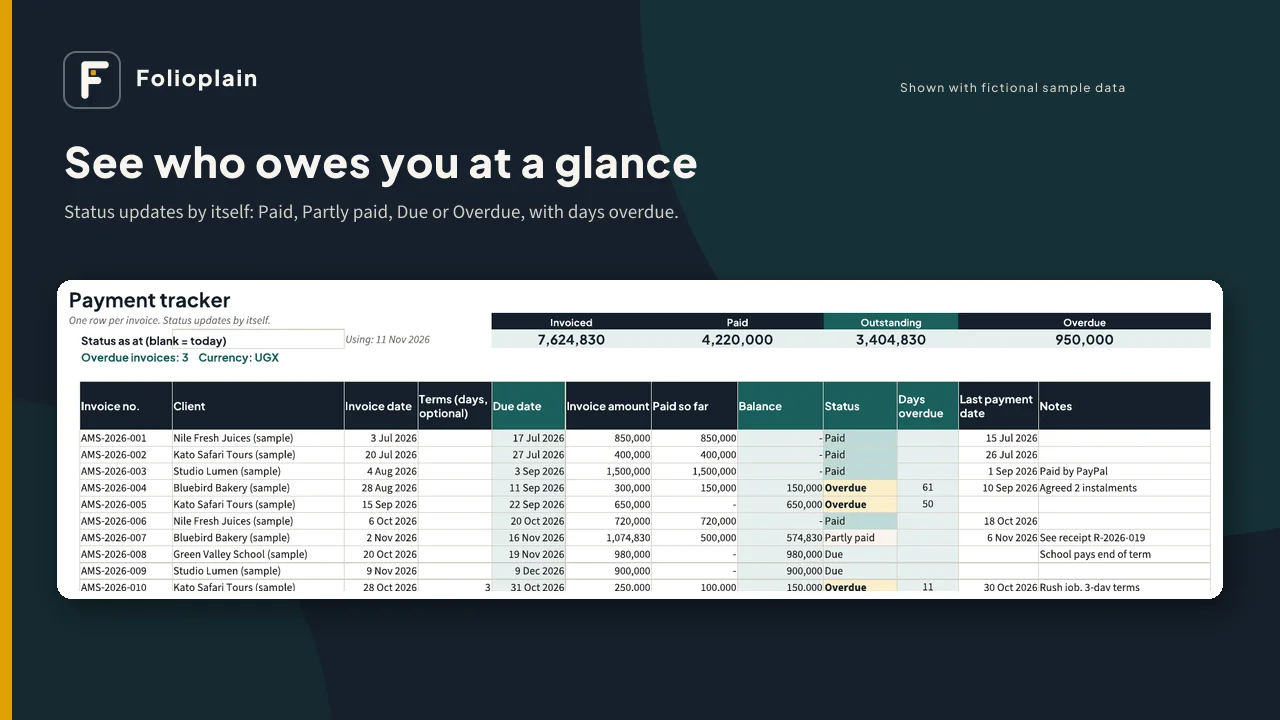
- Add the invoice to the Payment Tracker. Its status (Paid, Partly paid, Due or Overdue) and days overdue update by themselves.
Inside the spreadsheet (XLSX)
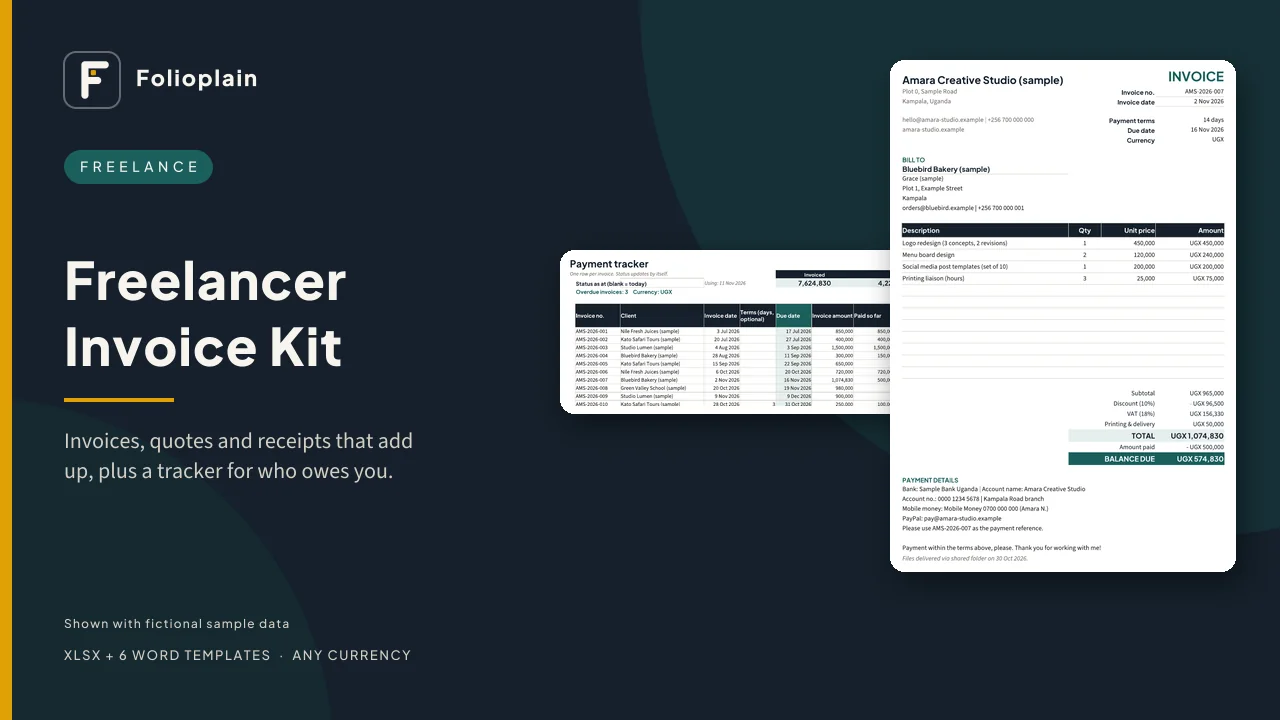
- Invoice generator: 12 item lines with quantity x unit price, discount (% or amount), optional tax/VAT line (your label and rate; 0 hides it), shipping or other charge, total, deposit/amount paid and balance due
- Any currency, 0 or 2 decimal places (e.g. UGX 1,074,830 or USD 1,250.50)
- Due date worked out from the invoice date + payment terms (per client or your default)
- Payment details block for bank, mobile money and PayPal/other, each with a Yes/No switch, plus "use the invoice number as the payment reference"
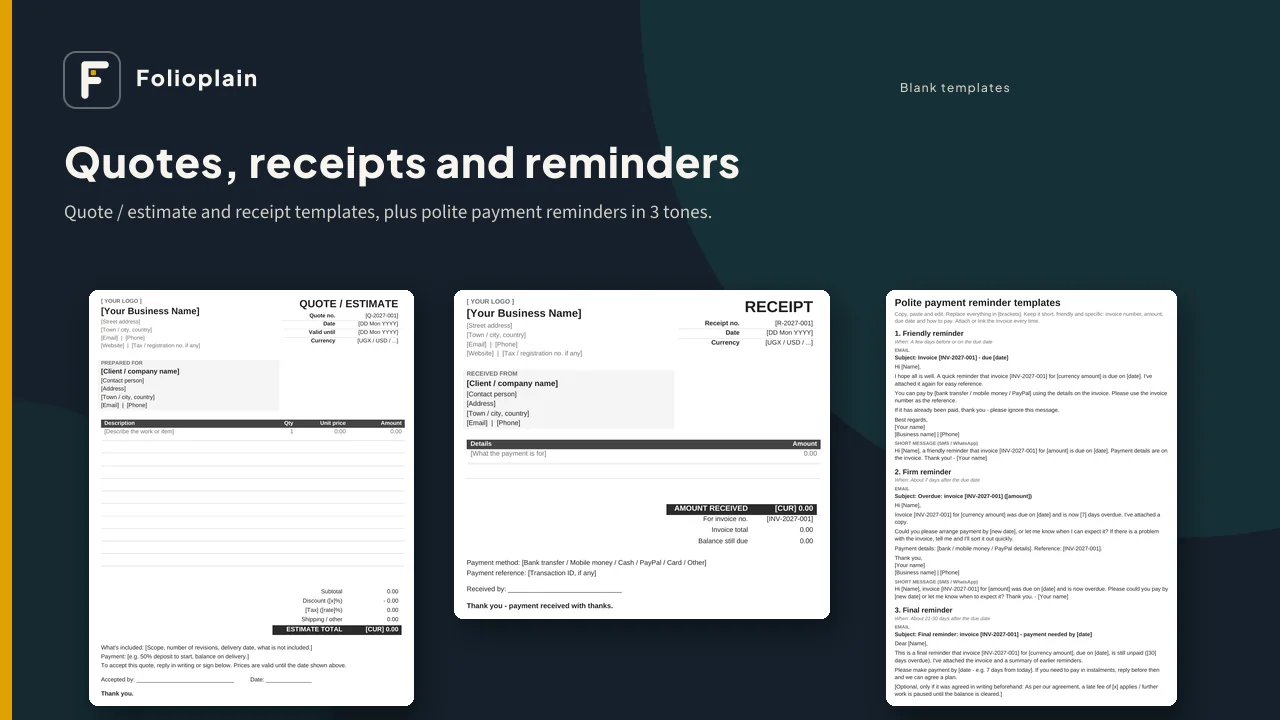
- Quote / estimate and receipt tabs in the same style; the receipt looks up the invoice total and remaining balance
- Payment Tracker: up to 300 invoices with due date, balance, status, days overdue and totals for invoiced, paid, outstanding and overdue
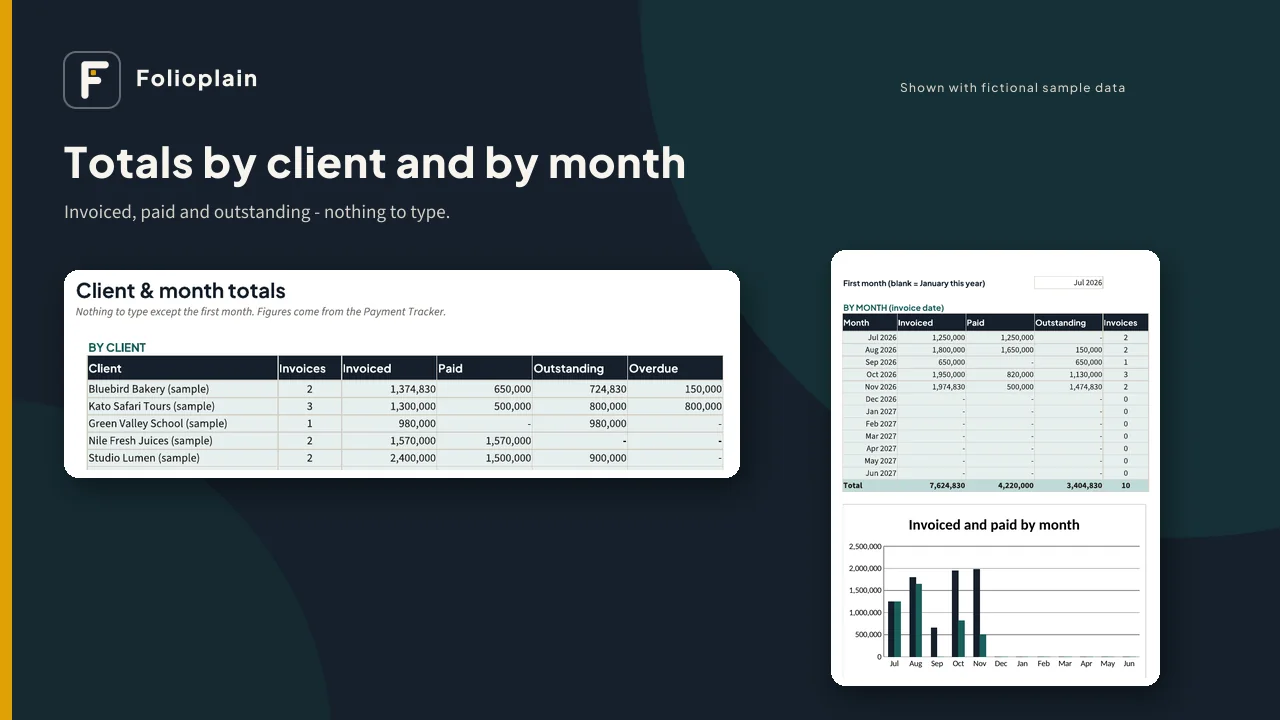
- Client & Month Totals: invoiced, paid and outstanding per client and per month, with a chart
- Clients list feeding every drop-down; a suggested next invoice number
Also included
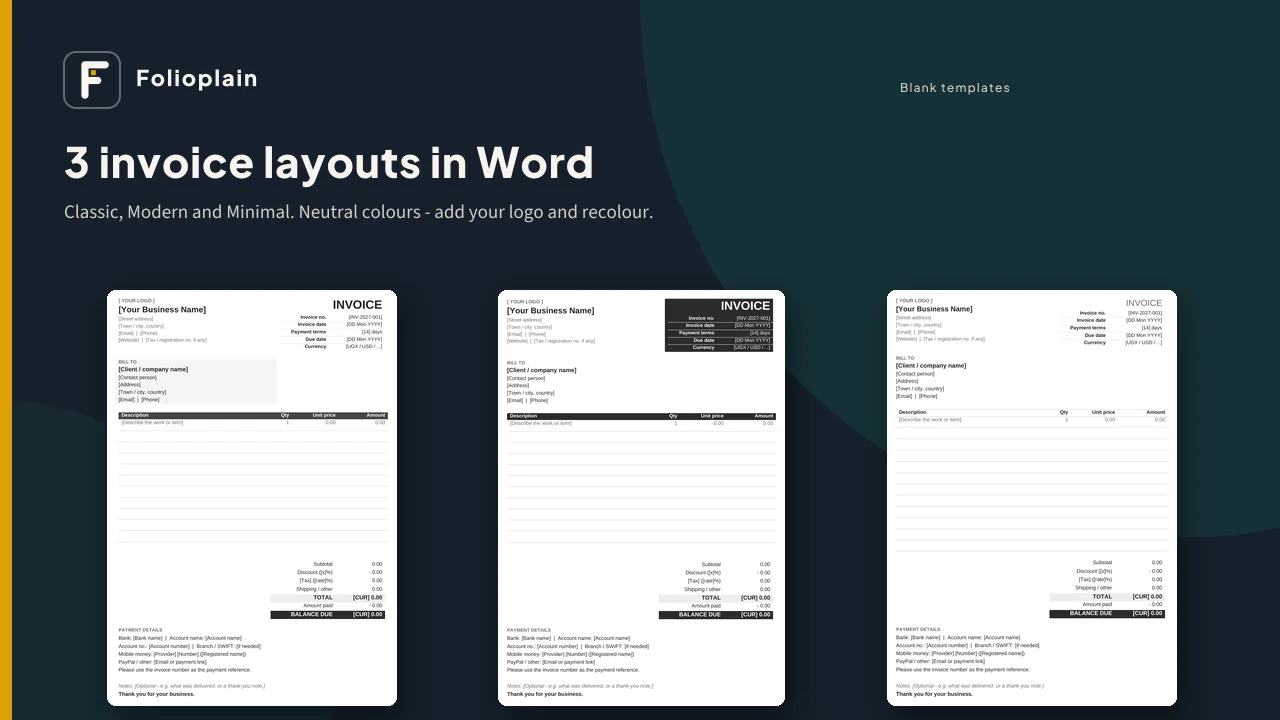
- 6 Word templates (DOCX): invoice in 3 layouts (Classic, Modern, Minimal), quote/estimate and receipt, in neutral colours so you can add your logo and recolour them
- Polite payment reminder templates: friendly, firm and final, each as an email and a short SMS/WhatsApp message, plus a thank-you note
- A sample file with fictional data so you can see every tab working
- A 3-page quick-start guide with invoice numbering tips and how to save as PDF from Excel, Google Sheets, LibreOffice, Word and Google Docs
Pairs with the Folioplain Simple Business Cashbook: record each paid invoice in the Cashbook as money in, so you see both who owes you and what actually arrived. (Sold separately.)
Works with: Microsoft Excel (desktop or web), Google Sheets (free) and LibreOffice for the spreadsheet; Word, Google Docs, Pages or LibreOffice Writer for the DOCX files. No macros, add-ons or subscriptions, and nothing is locked.
Good for: freelancers, designers, writers, photographers, tutors, consultants, developers, makers and small service businesses. In English; works with any currency.
Please note
- This is a digital download. Nothing will be shipped.
- These are templates, not tax, legal or accounting advice. Invoice rules (required details, tax registration, numbering, e-invoicing) differ by country, so check your local rules.
- It doesn't send invoices or collect payments for you, and it doesn't connect to your bank or mobile money.
- The Word templates don't calculate; use the spreadsheet if you want automatic totals.
- One business or freelance practice per purchase. Please don't share or resell the files.
- Screenshots of the spreadsheet show fictional sample data.