Most bookkeeping templates are built for US or UK hobby sellers: one currency, one bank account, and sometimes locked tabs you can't change. This cashbook is built for real small businesses that take cash, bank payments and mobile money. Use any currency, start your financial year in any month, and change anything. Nothing is locked.
How it works
- Setup: type your business name and currency, choose your financial year, list your money accounts (cash, bank, mobile money, PayPal...) with opening balances, and edit the categories.
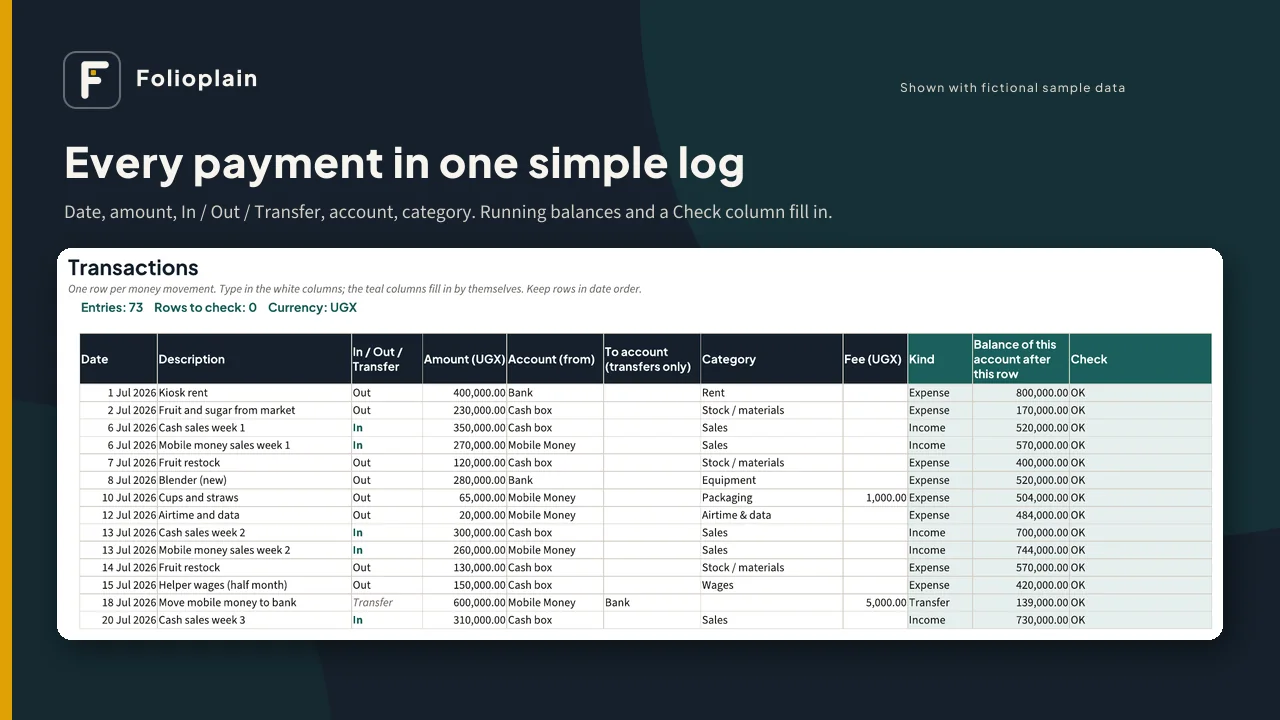
- Each day or week, add one row per payment: date, amount, In / Out / Transfer, account and category.
- Your running balances, monthly profit, category totals, balance check and dashboard update by themselves.
What's inside the spreadsheet (XLSX)
- Start Here tab with plain-English instructions
- Setup: business name, any currency code and symbol, financial-year start month, up to 8 money accounts with opening balances (defaults: Cash, Bank, Mobile Money; rename them to MTN MoMo, Airtel Money, M-Pesa, PayPal or anything else), and editable income, expense and "not profit" categories
- Transactions: 1,000 rows with drop-downs. Date, description, In / Out / Transfer, amount, account, to-account, category, fee, payment reference and notes. Each row shows the account's running balance and a Check (OK, or what's missing).
- Transfers between your own accounts (e.g. mobile money to bank, cash deposits) are not counted as income or expenses. Transfer and withdrawal fees go in the Fee column and are counted as expenses.
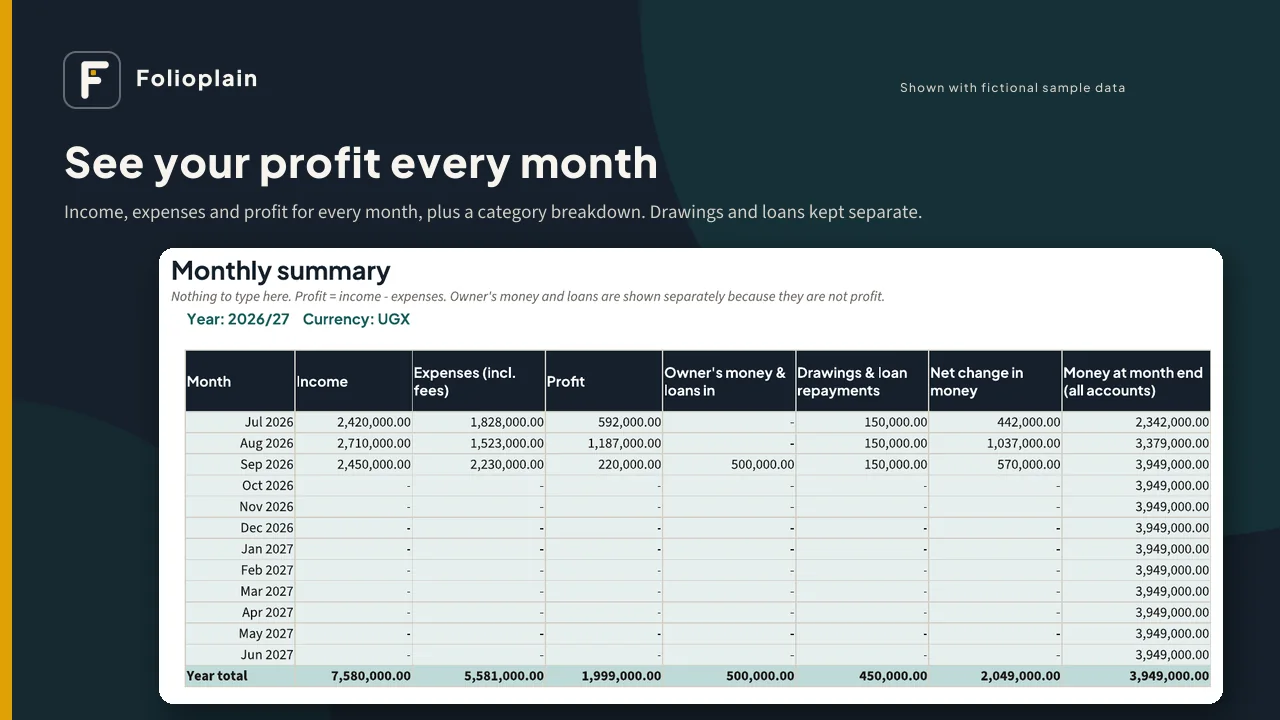
- Owner's drawings, owner's money added and loans are kept out of profit, so your profit figure is honest.
- Monthly Summary: income, expenses, profit, owner's money and loans, drawings, net change and money at month end for each month of your financial year
- Category Breakdown: every category by month, with totals and a check that it agrees with the Monthly Summary
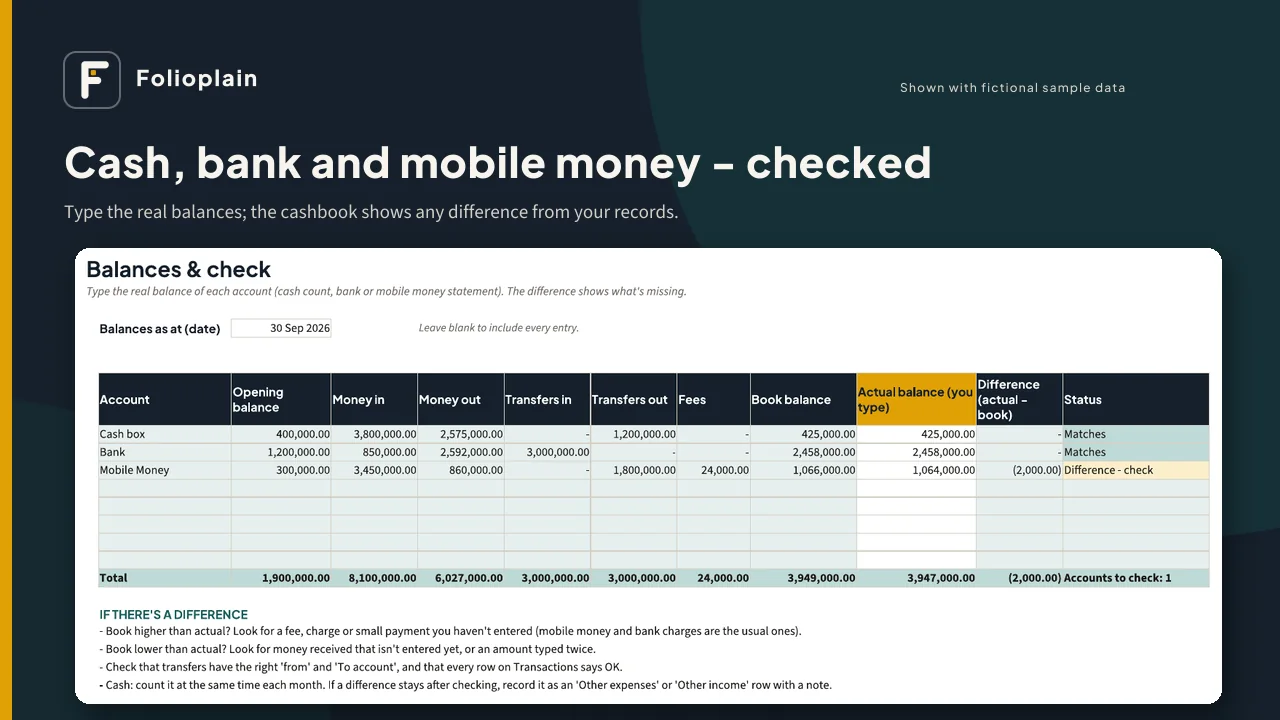
- Balances & Check: book balance for each account on any date, next to the real balance you type in, with the difference and a status
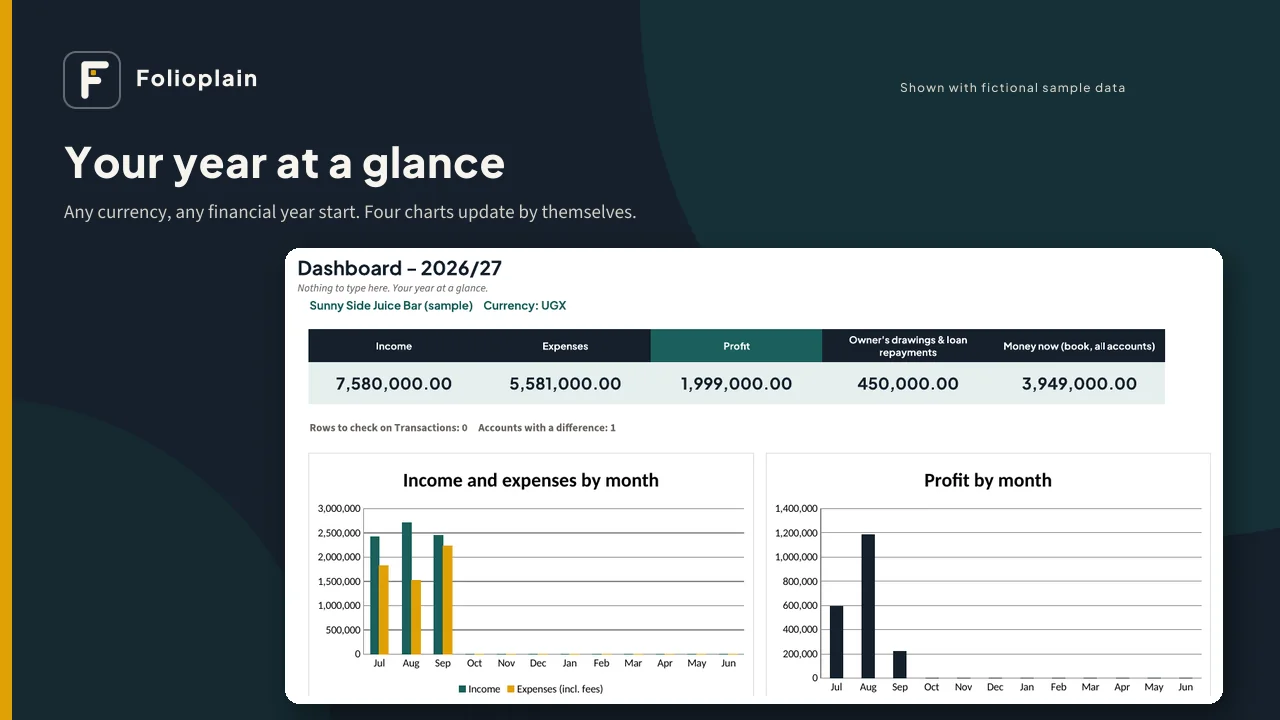
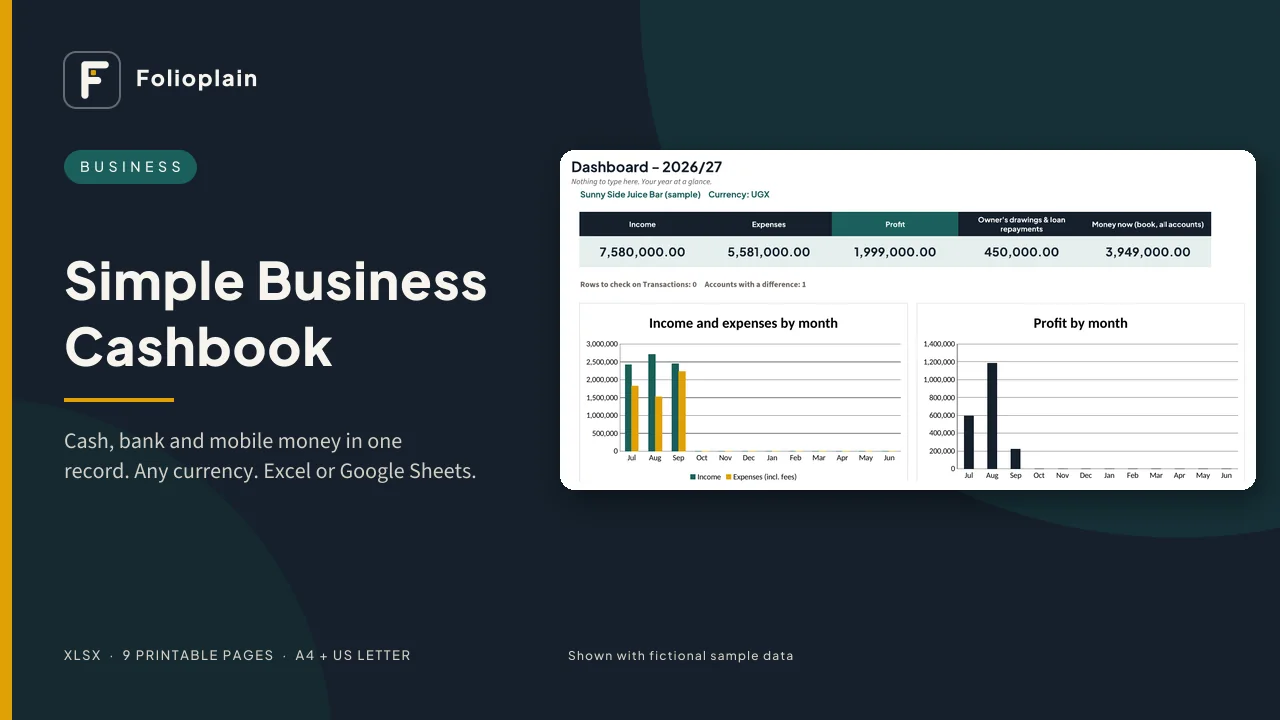
- Dashboard: income, expenses, profit, drawings and money now, plus 4 charts
- Undated: works for any year. Change the first year on Setup and carry your closing balances forward.
Also included
- A sample file filled with fictional data, so you can see every tab working
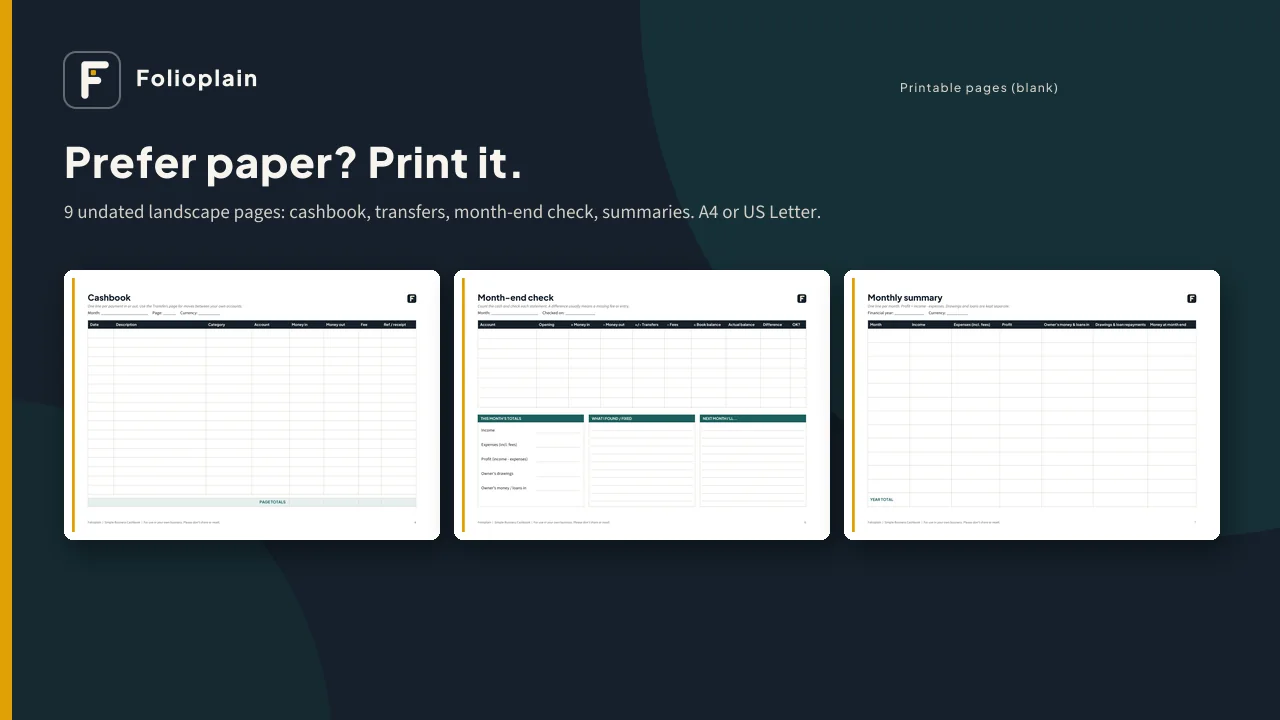
- 9 printable pages (PDF, undated): setup, cashbook, transfers and fees, month-end check, monthly summary, category totals and year-end summary, in A4 and US Letter
- A 2-page quick-start guide
Works with: Microsoft Excel (desktop or web), Google Sheets (free, via upload, as shown in the guide) and LibreOffice Calc. There are no macros, add-ons or subscriptions, and nothing is locked. Formula cells are shaded so you know which ones to leave alone.
Good for: shops, market stalls, kiosks, salons, tailors, caterers, freelancers, online sellers and any small business that wants a clear money record. In English; works with any currency.
Please note
- This is a digital download. Nothing will be shipped.
- It is a record-keeping tool. It is not accounting, tax or legal advice, and it does not prepare or file tax returns or VAT. Ask a qualified accountant or your tax authority what you must record and pay.
- It does not connect to your bank or mobile money account; you type or copy in your transactions.
- One business per purchase. Please don't share or resell the files.
- Screenshots show fictional sample data.